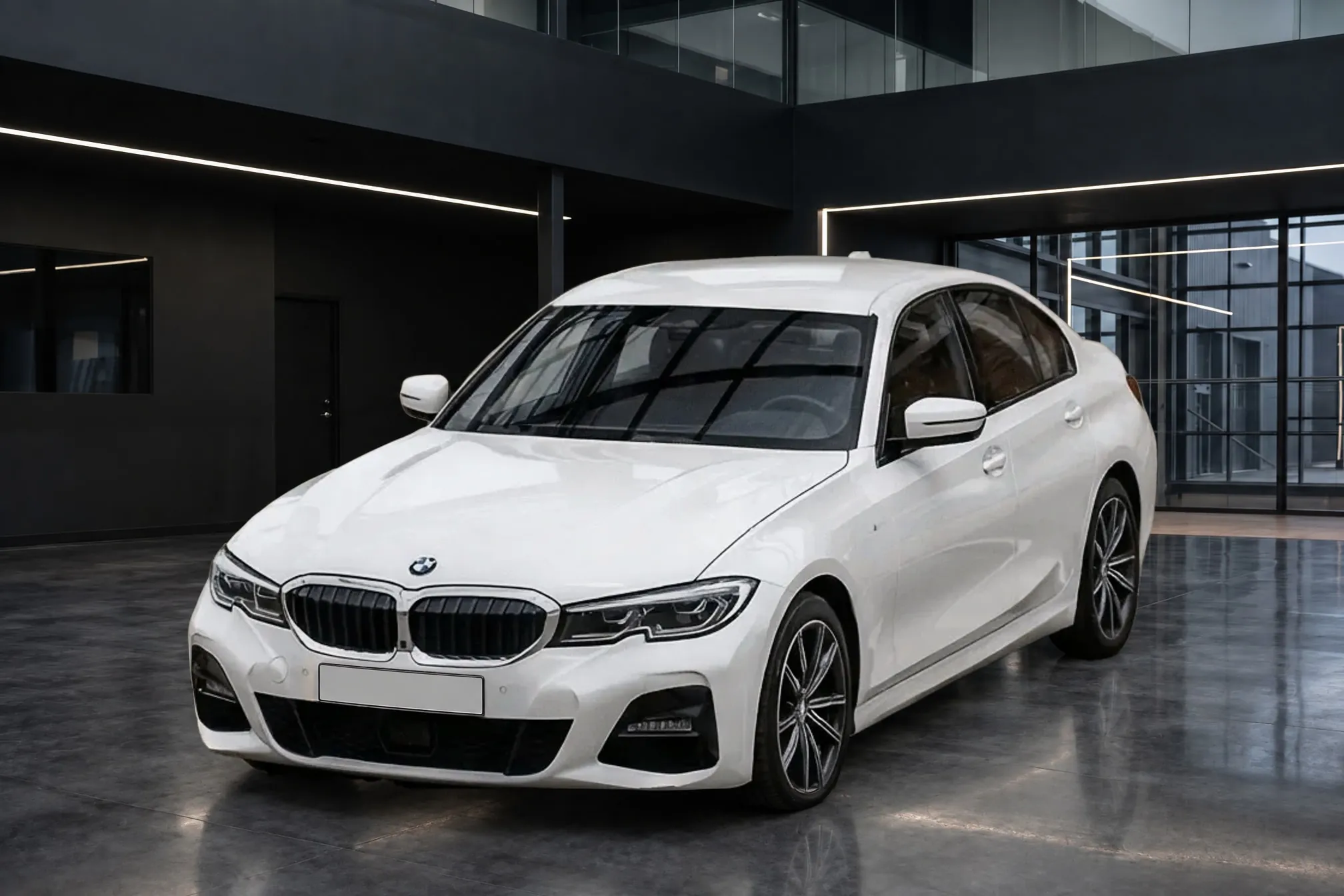
The best background for car listing photos
What listing sites ask of a background, how white, light grey, dark studio, showroom, your own dealership and outdoor scenes compare, how to match the background to the paint, and how to keep one background across the lot.
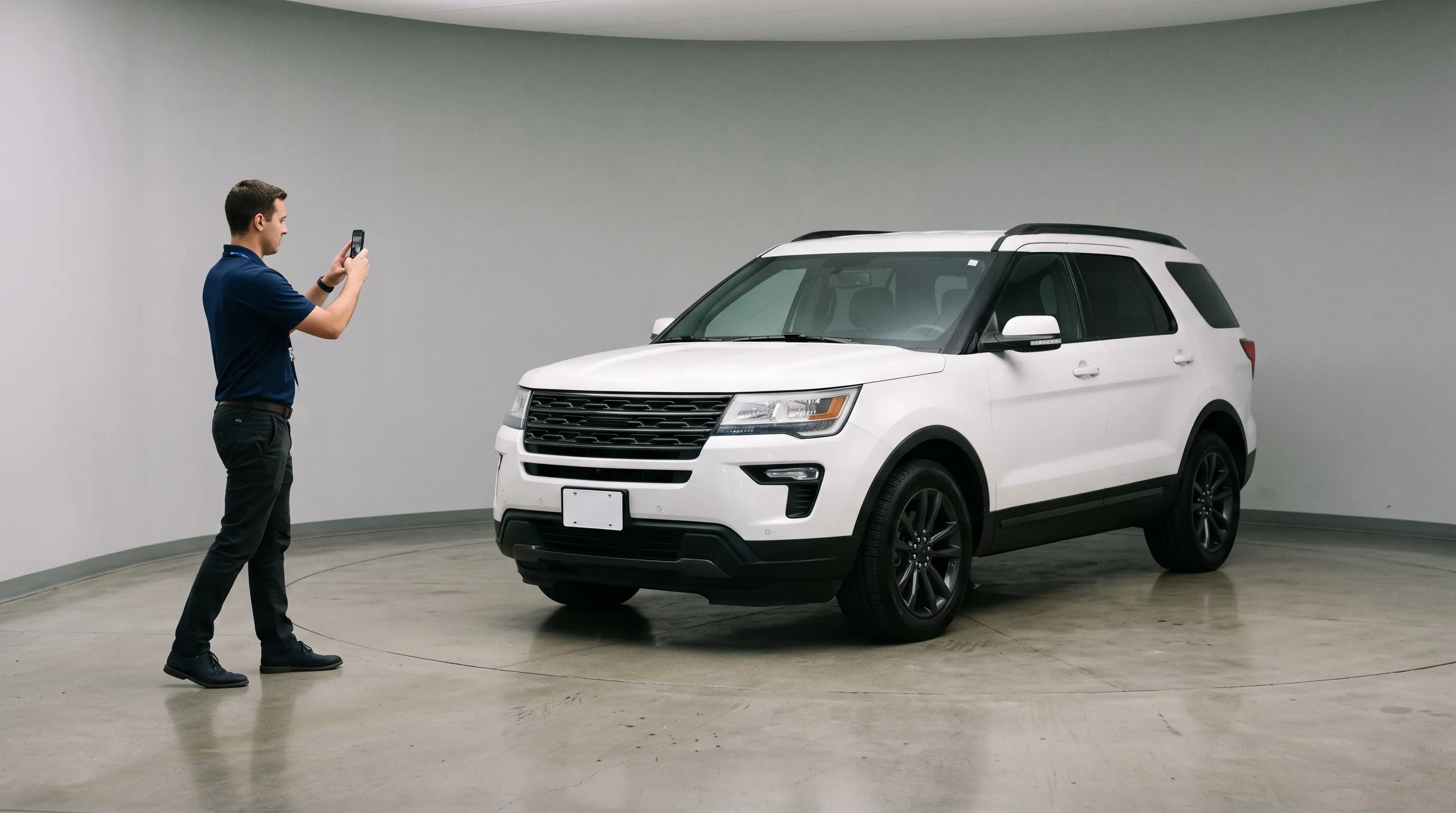
The best background for car listing photos is a plain, neutral, evenly lit space with nothing else in it, a floor the car visibly stands on, and enough contrast with the paint that the car's outline is clear. For most lots that means a light grey room or a clean, plain showroom, used for every car. Consistency matters more than which neutral you pick, and the background matters less than the car looking like it really stands there.
No listing site names a background color, and the sections below compare the common choices one by one.
What listing sites say about car photo backgrounds
Every listing site that gives background advice asks for a neutral, uncluttered one, and none asks for a color.
- eBay Motors: "Background should be neutral, so that it is easy to see the vehicle" (eBay Motors photo guide).
- Google vehicle ads: "We recommend having high quality, clean images with minimal background for best performance." Google lists "Cluttered background" and "Logos or branding in the background" as allowed but discouraged, because they "could negatively impact performance" (Google Merchant Center).
- Autotrader UK: "Always try to photograph a vehicle in an area that has a neutral background," and "The area should be free of anything that will distract from the vehicle" (Autotrader UK vehicle photography guide, 2026).
- Cars & Bids: "Simple and pleasing background, unoccupied location, and nothing distracting near the car." Its guide also says "Find a good outdoor location," as enthusiast auction sites expect a real place (Cars & Bids photo guide).
- Autotrader NZ: your own branding in the background is acceptable, but it "should not dominate the photograph. The focus must remain on the vehicle itself" (Autotrader NZ dealer photo guide).
Autotrader UK adds a detail that shows why clutter matters beyond looks. A car parked against metal railings gets "a striped effect on the side of the vehicle." The guide also warns that distracting reflections "may be interpreted as damage by the viewer." Whatever is behind and around the car ends up in its paint. For each site's photo counts and sizes, see car listing photo requirements by site.
Car photo backgrounds compared
| Background | Works well for | Watch for |
|---|---|---|
| Pure white studio | A clean, catalog look; dark and colorful cars | White and silver cars lose their outline |
| Light grey studio or showroom | Almost every car; the safest default for a whole lot | Very light grey on a silver car, so check the roofline |
| Dark studio or turntable | White, silver and bright cars; premium and sports models | Black and dark blue cars disappear into it |
| Dealership showroom interior | A retail look buyers recognize | Other cars, desks and signs in frame |
| Your own dealership | Recognition: buyers see your store | It has to be clean, and Google discourages logos in the background |
| Outdoor scene | Trucks, off-road and enthusiast cars; social posts | Distracting, and the weather and season date the photo |
| The lot as it is | Speed: no setup at all | Other cars, clutter, and reflections that look like damage |
White, grey or dark: matching the background to the paint
A background works when the car's edges stand out against it. That is a matter of contrast, and it depends on the paint.
White is the classic catalog background, and it suits dark, red and blue cars well. It is hardest on white and silver cars. Product photographers say the same of any white object on white: "how does one create separation between the white product and the white background?" (Pixelz). Phyron, which makes dealer photo software, notes that "A white vehicle against a very bright white background can lose definition around its edges" (Phyron, 2026). Dealers said it long before the software did. In a 2009 DealerRefresh thread on building a photo booth, one poster advised: "Avoid white backgrounds, dark blue looks black and the lines on white cars disappear. Light Neutral colors work well" (DealerRefresh, "Setting up a Photo Booth").
Light grey is the background that works for nearly every paint color. It is neutral, keeps the colors true, and is dark enough that a white or silver roofline still reads against it. If you choose one background for a whole lot without knowing what comes in next month, light grey is the safe choice.
Dark grey or black makes white, silver and bright paint stand out, and gives premium and sports cars a dramatic look. It does the opposite to black, charcoal and dark blue cars, which lose their shape against it. One dealer planning a black booth curtain in 2010 saw the problem. "Black might not be the best for black cars, so we were thinking maybe a dark gray color, but we actually have more dark gray and silver cars than anything else" (DealerRefresh).
The practical rule: make light grey the default for every car. Choose a darker room only if your inventory is mostly white and silver, and then use it for every car, not car by car.
A silver car on white, grey and dark backgrounds
On a silver car, a white background shows the least contrast and a grey or dark one more, and a cluttered lot pulls the most attention away from the car. Here is one real lot photo of a silver Toyota RAV4, and three finished photos Clearcoat made from it, each in a different Showroom, all showing the same view of the car.
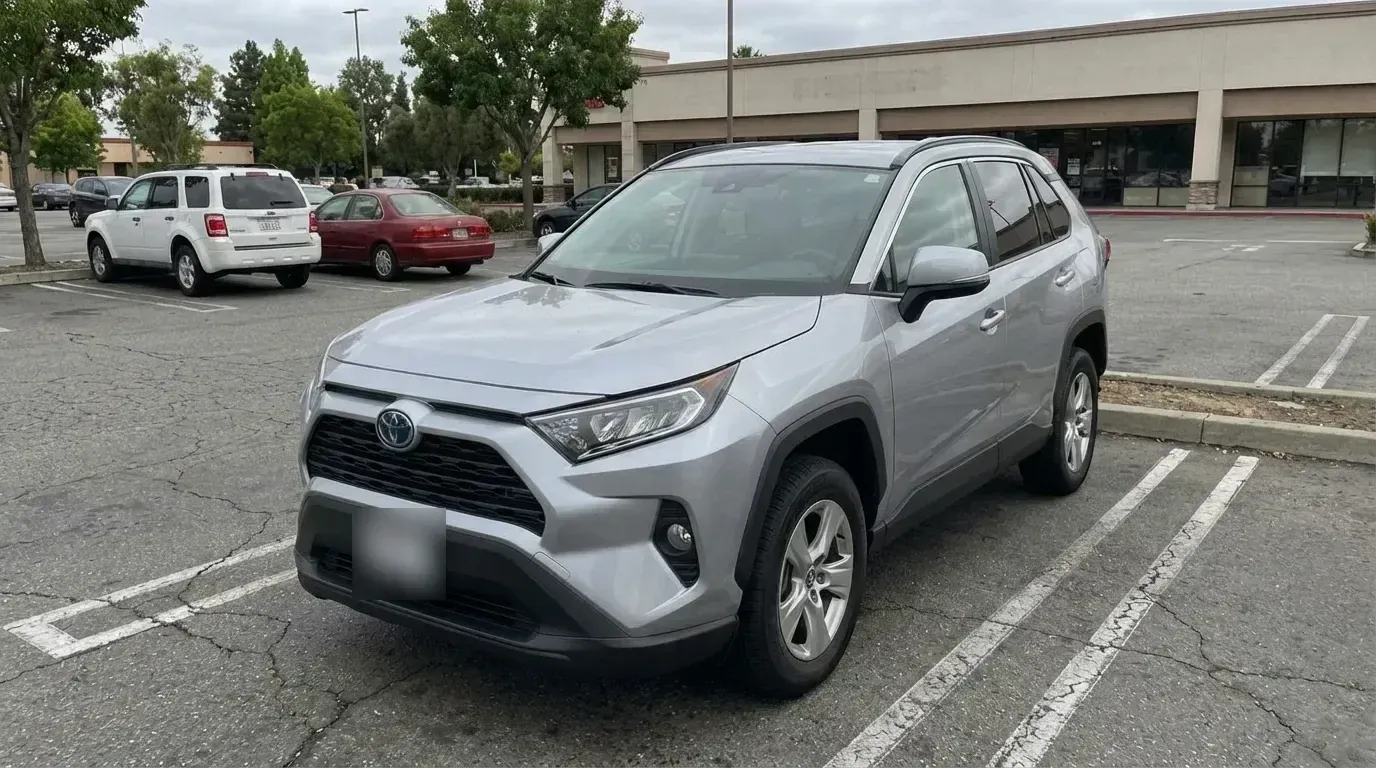
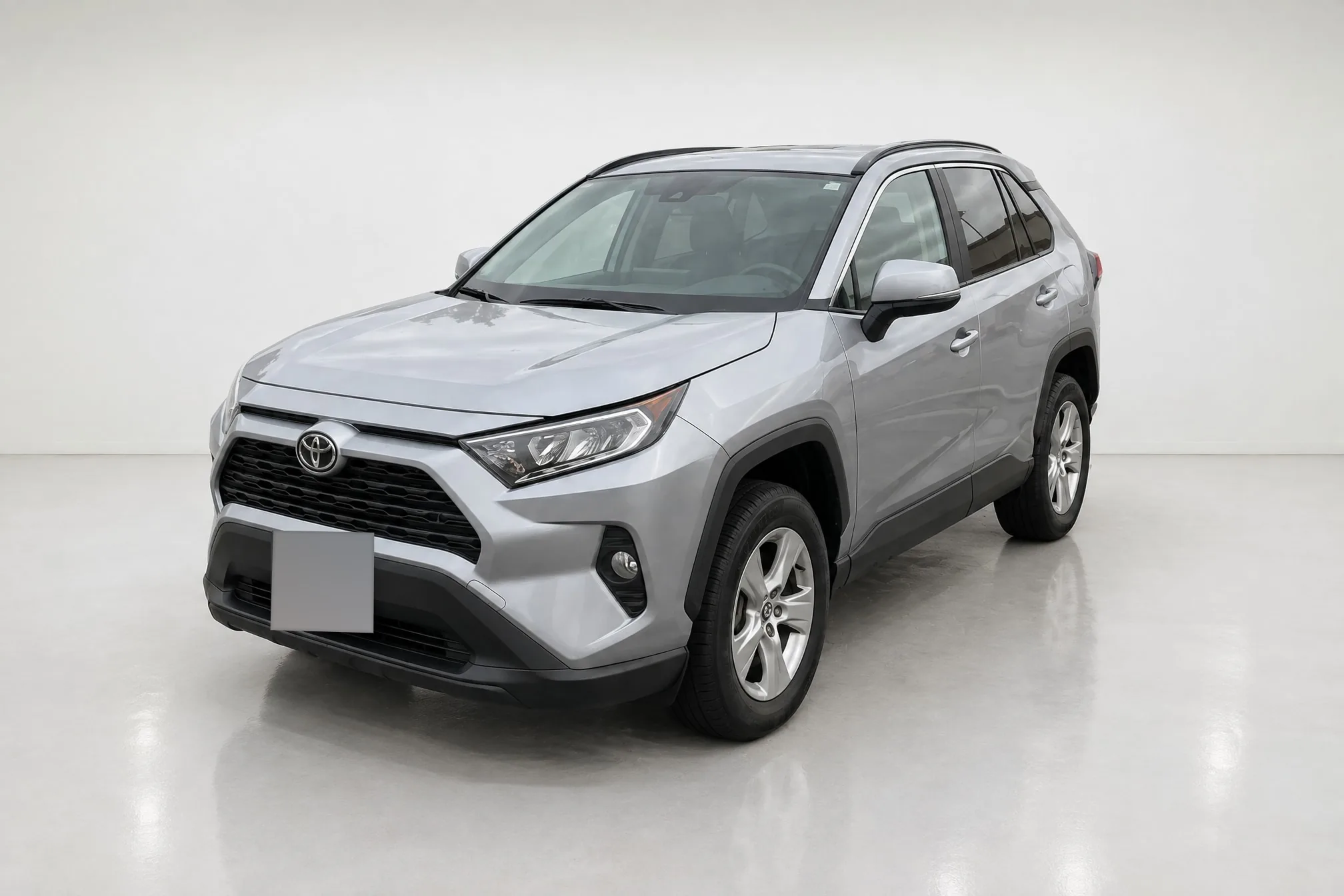
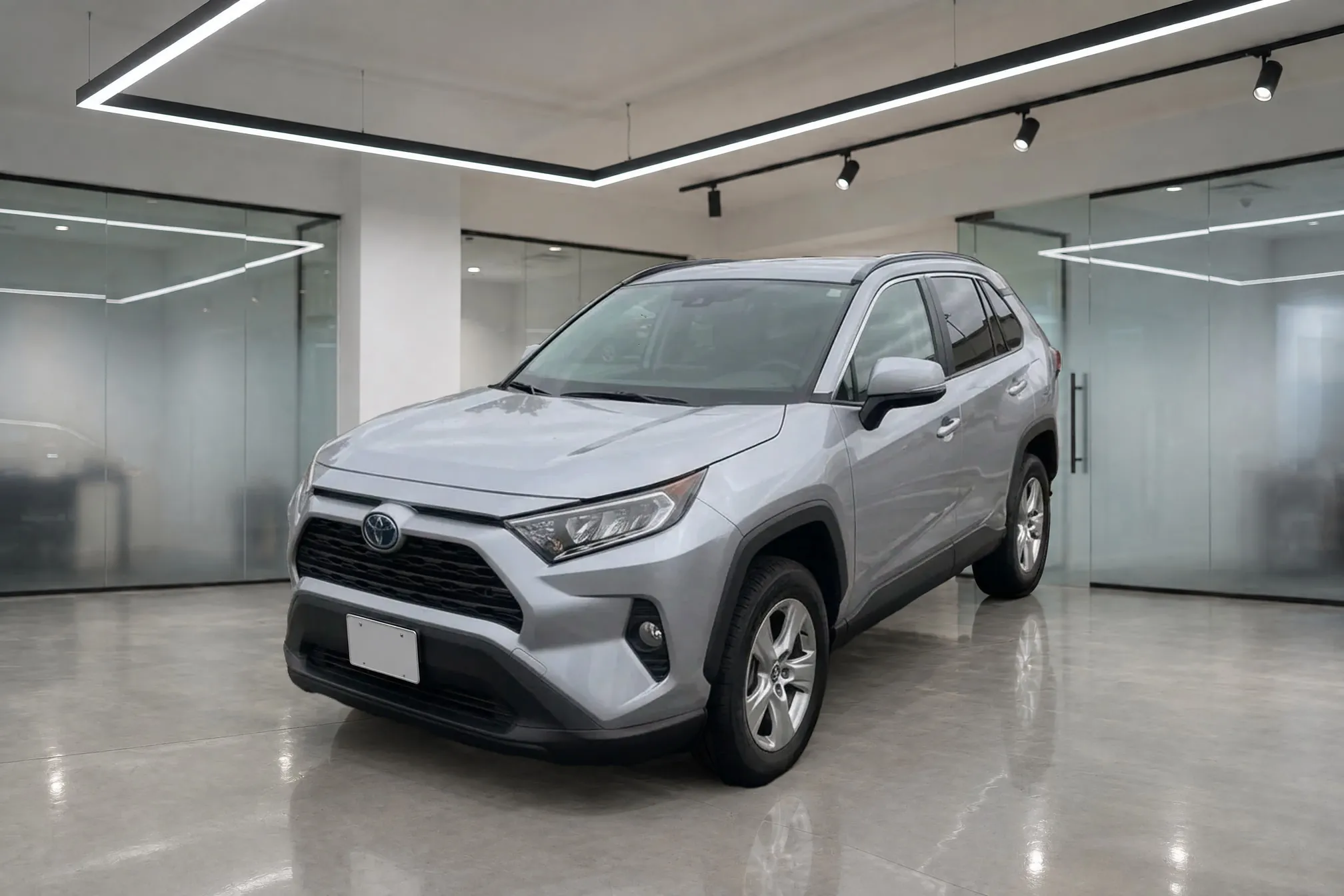
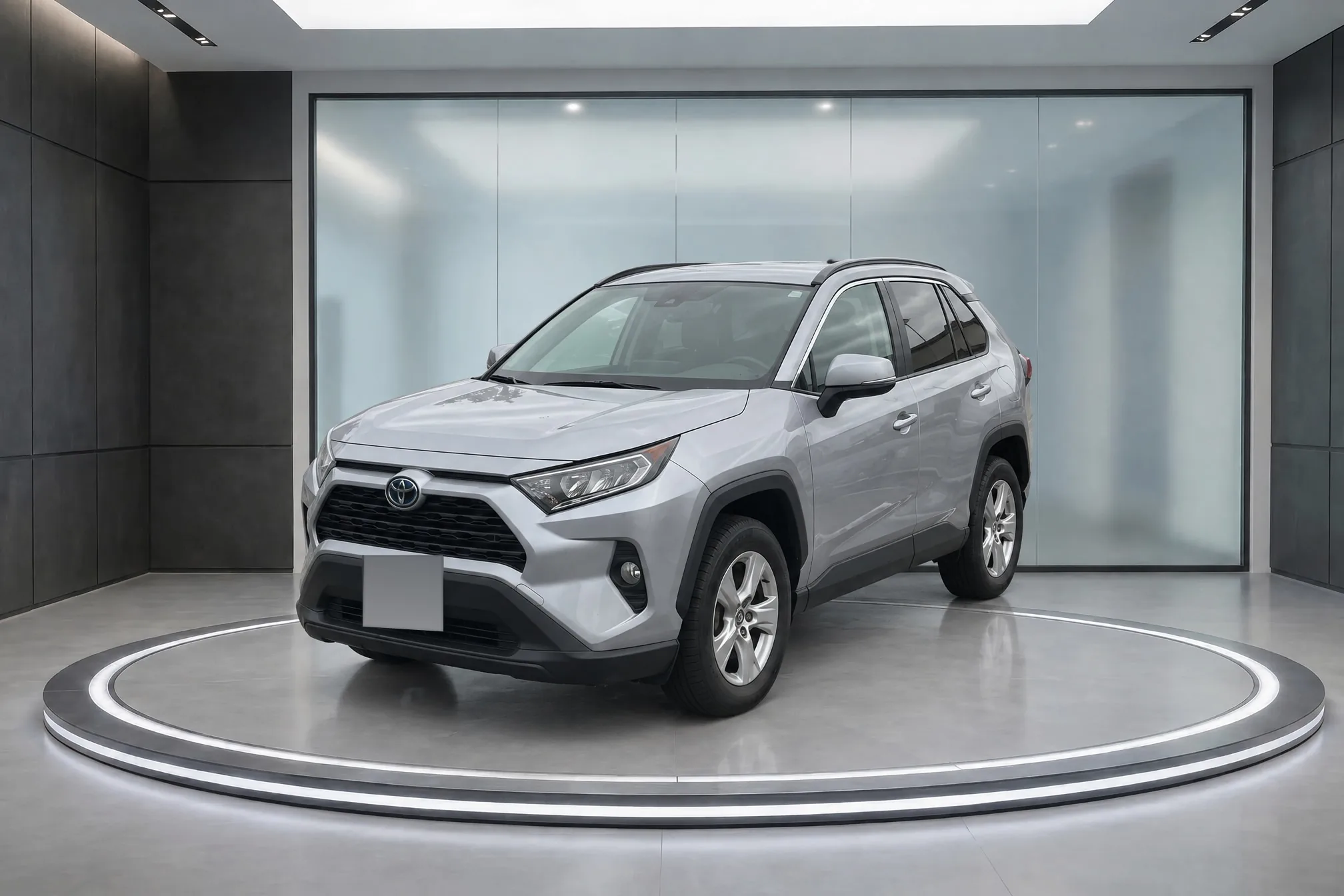
The plate is obscured in this published copy of the lot photo. The clean blank plates in the finished photos are Clearcoat's default Hide setting.
As you can see, the lot photo's parked cars, building and painted lines pull the eye away from the RAV4. In the white studio, the hood edge and the far mirror come close to the tone of the wall, and the black roof rails and trim do most of the work of outlining the car. On the grey concrete floor of the showroom and the dark floor around the turntable, the silver lower body and wheels stand clearly apart from what is under them. In all three, the room is the only thing that changed.
Showroom, dealership or outdoor background?
A showroom interior gives a retail look buyers recognize, with a polished floor that reflects the car. Other cars, desks and sales signs in frame are the clutter eBay, Google and Autotrader ask you to avoid.
Your own dealership is the background no other dealer can use. Buyers see the store they will visit. It only works if the space is clean and the car is the focus. Autotrader NZ allows store branding in the background as long as it doesn't dominate. Google lists "Logos or branding in the background" as discouraged for vehicle ads, so keep a logo small and to one side, or out of frame. If you don't have a photo bay to drive every car into, Clearcoat makes a Showroom from one photo of your own showroom floor, and every car from your lot photos then stands in your room.
An outdoor scene suits trucks, off-road vehicles, convertibles and enthusiast cars, where the setting says something about the car. Carbackground.ai, which sells AI backgrounds, makes the same distinction: outdoor scenes "earn their slot on premium and enthusiast cars, where the setting sells the story" (carbackground.ai, 2026). For everyday inventory it has two costs. The scenery competes with the car, and a real outdoor background carries the weather and the season with it: "Photo booths hide the 4 seasons," as one DealerRefresh regular put it in 2024 (DealerRefresh).
The lot as it is costs nothing, and it is the background eBay, Google, Autotrader and Cars & Bids all warn against: other cars, buildings, lamp posts and painted lines, all of them also reflected in the paint.
For a private seller with one car, the best background is a plain wall or an empty, level parking lot on an overcast day, with nothing behind the car and nothing mirrored in its doors.
Keep one background for every car on the lot
The background you choose matters less than using it every time. A results page where every car stands in the same room reads as one store's inventory; a page where each car is in a different spot on the lot, in different weather, reads as unplanned. Buyers first see your background at thumbnail size in search results, where a matching row and clear contrast count most. CarCutter, which sells 2D and 3D dealer backgrounds, puts it plainly: "consistency matters more than the style itself" (CarCutter, 2026). Autotrader UK gives the same advice for its walkaround videos: "use the same location for every video to ensure consistency."
Consistency is also the part dealers find hardest. "We aren't able to get good enough photos outside with just the regular shots. We tried for years but never found consistency," one dealer wrote in a 2024 DealerRefresh thread (DealerRefresh, "Vehicle Photography and Virtual Showrooms").
Keep these the same for every car:
- The room. One background for all exterior photos of every car.
- The camera height and angles. Autotrader UK asks for the camera at "the same height as the bottom of the windscreen / windows." The lot photography guide gives a routine anyone on the team can repeat.
- Every exterior photo. Don't put only the first photo in a showroom and leave the rest on the lot: the mix invites the buyer to compare.
For a dealer group, the same applies across stores. In Clearcoat, a group can use one Team for every store and pick the same Showroom for every car, whoever took the photos and wherever the car was parked.
Does the background sell more cars?
We found no independent study that measures how one background color or setting affects car sales or clicks. Some dealer photo vendors publish click-through gains for white backgrounds, but none we read names its data, sample or method, so we don't repeat their numbers here. The research vendors do cite compares real photos with stock photos, or counts how many photos a listing has. None of it is about what is behind the car.
What the evidence supports is the advice in this article: a neutral, uncluttered background that keeps the attention on the car, the same one for every car, and a car that looks like it is really standing there.
How to put every car on the same background
There are four common ways to give every car one background.
- A fixed spot on the lot. Choose a plain wall or building front with open space in front of it and photograph every car there. It is free, but every car has to be moved there, and the light and weather still change from day to day.
- A photo booth. The same room and light for every car, interiors included, at a price. See car photo booth vs app for what booths cost and the space they need.
- A background replacement tool. Most cut the car out of the lot photo and place it on a backdrop. Done well, the car keeps its own pixels; done badly, it keeps the lot's light and reflections too, and looks pasted on. Why car background replacement looks fake explains the tells and what to check, and Are AI-edited car photos allowed? covers what listing sites and the law say about a replaced background.
- Clearcoat. The lot photos you already take become photos in one Showroom you choose, the same room for every car whatever the weather on the lot, with the room's light on the paint and a real shadow on the floor. Switch between Showroom and Original in the same frame to check each car before you list it. Each finished photo costs one Credit (pricing), and you can start with 6 free credits, no credit card required.