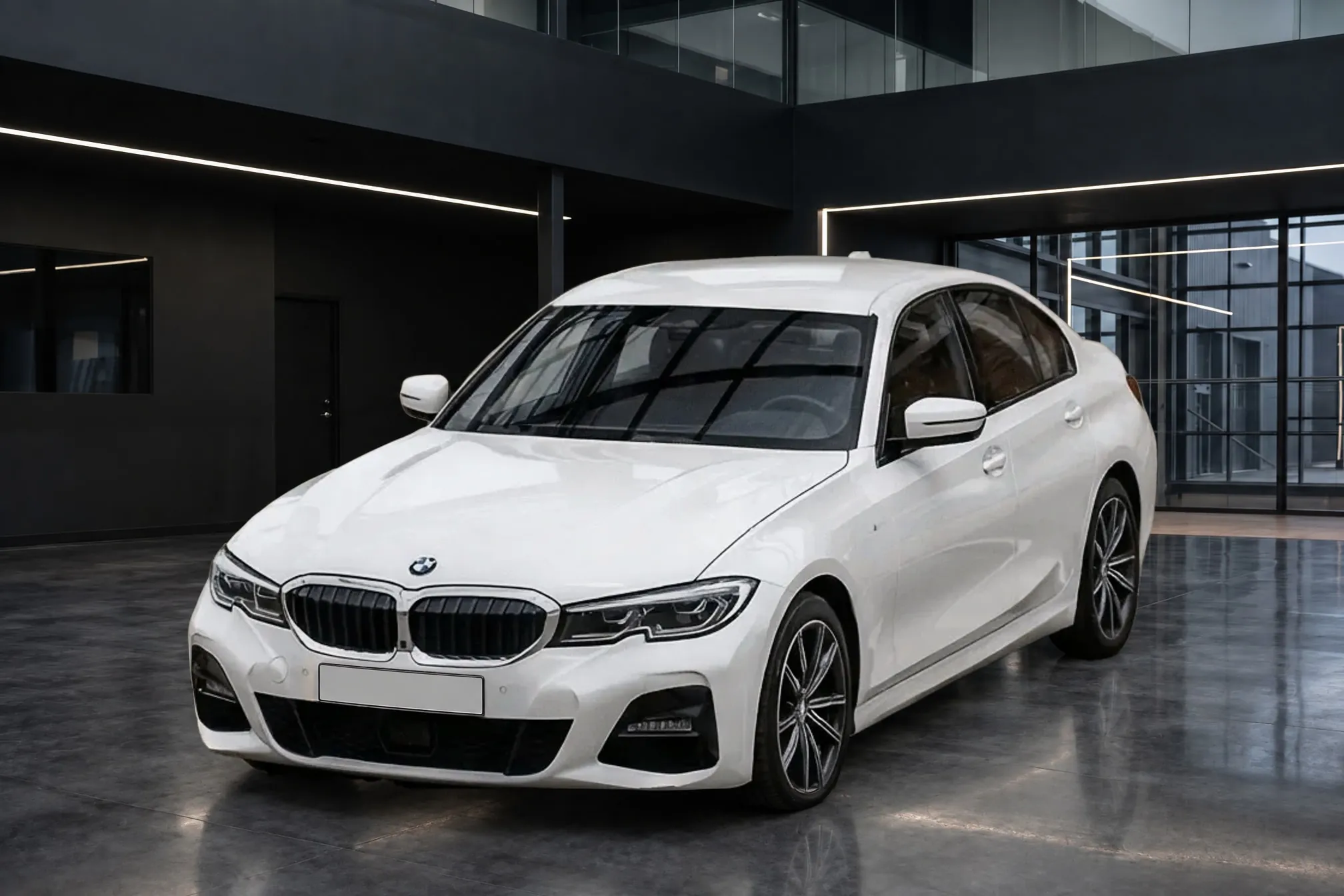
Why car background replacement looks fake, and how to fix it
The seven tells that make a virtual showroom photo look pasted on, why cut-out tools start from the lot's light, and how to shoot and check lot photos so a new background looks like a real room.
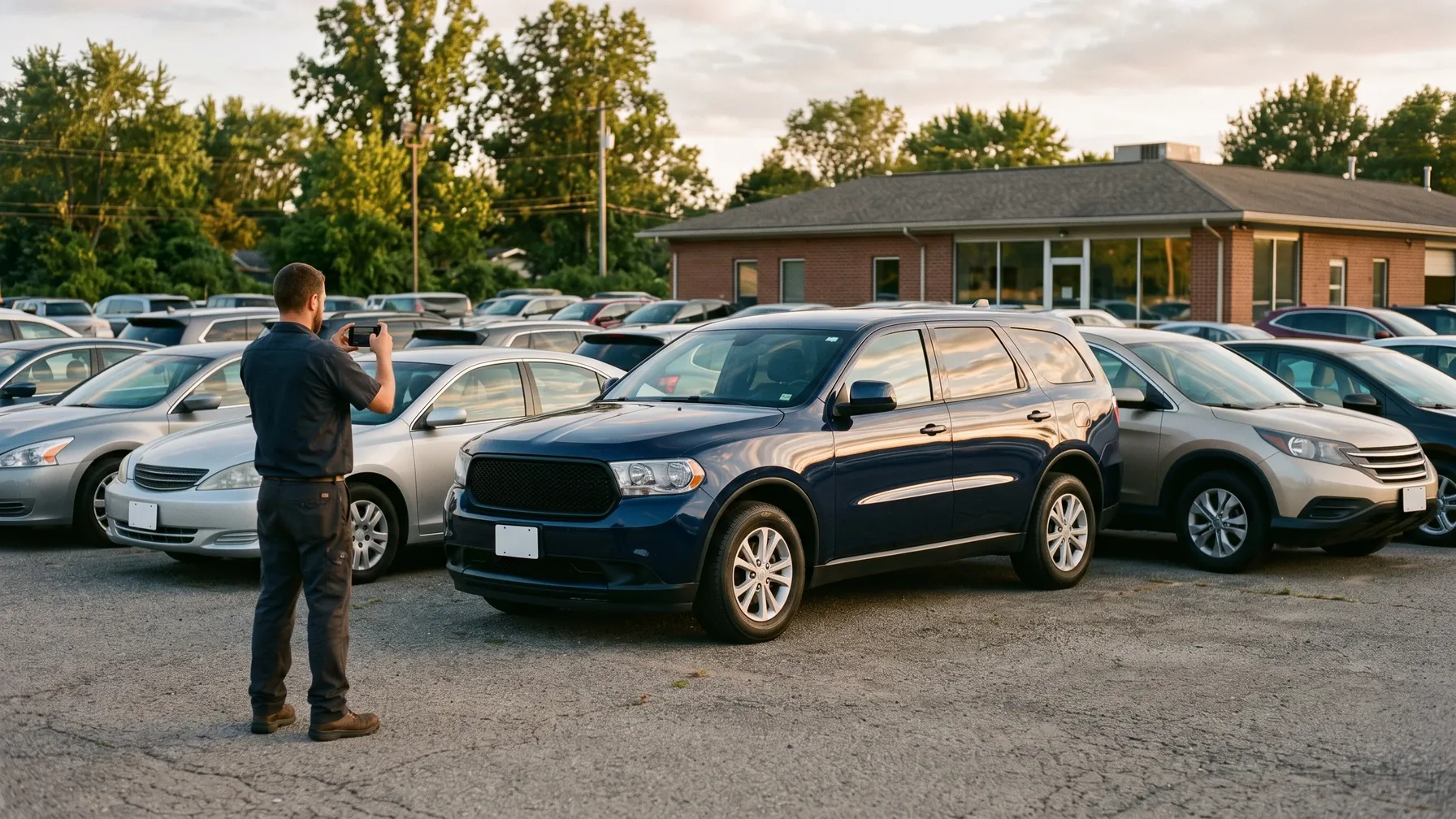
A replaced car background looks fake when the car and the room disagree. The car still carries the lot's light: hard sun on one side, the sky and trees mirrored in the doors, other cars visible through the windows. It has no dark contact shadow where the tires meet the new floor, so it seems to hover. And it was photographed from a height or angle the backdrop wasn't, so it doesn't sit in the room. Cutout edges around mirrors and wheel spokes are the smaller problem, and the one most tools already handle.
The fix has two halves. Shoot so the car carries as little of the lot as possible: soft light, one camera height at the bottom of the windows, and a step to the side until the panels reflect evenly. Then use a tool that lights the car for the new room and grounds it with a real shadow, and check every photo against the original before it goes live. Below, each tell and how to avoid it. If you are still deciding between replacing backgrounds and building a photo booth, see car photo booth vs app for dealerships.
What dealers say makes virtual backgrounds look fake
Dealership staff are blunt about bad background replacement. DealerRefresh is a forum for dealership marketing and internet sales staff. In a long thread there, one poster wrote that "Background replacement still generally looks crap unless you take a lot of care to get the lighting and angles right" (KiwiDan, 2024). Another said a virtual showroom sample failed because "you can still see the sunlight differences, the trees in the windows" (Carsten, 2024). A third called most artificial backgrounds "cheap" and "tacky" (DealerRefresh, "Vehicle Photography and Virtual Showrooms"). Several of the posters sell photo services themselves, so read these as practitioners' opinions rather than measurements.
Notice what they blame: lighting, angles, sun and the trees in the glass. Those are things the car brought with it from the lot. None of them is about the backdrop itself.
The seven tells of a fake car background
1. The light on the car doesn't match the room. Adobe's compositing advice is to "make sure the direction of light on individual elements of a composite matches up" and to avoid combining elements photographed in different lighting (Adobe). A car shot in warm afternoon sun, pasted into a cool, evenly lit studio, looks lit by a different world, because it was.
2. The lot's sun and hard shadows are still on the car. A bright hot spot on the hood, a black shadow under the mirror or a lamp post's shadow across a door all say the car was outdoors in sunshine. In a softly lit showroom they have no source.
3. The car floats. Without a dark contact shadow where each tire meets the floor, the car seems to hover. Autopix, which sells dealer photo software, calls a hovering car, with no shadow or "a soft grey oval that does not touch the tyres," the single biggest tell (Autopix). A soft drop shadow under the whole car is not enough; the darkest point has to sit right under the tire.
4. The lot is mirrored in the paint. Glossy paint is a mirror. If the doors reflect a row of parked cars, the sky or a building, the car cannot be standing in a closed white room. Designer Chris Spooner, writing about putting a car on a new background, calls reflections "the biggest factor that determines the suitability for a composition" (Spoon Graphics).
5. The old scenery shows through the windows. A cutout follows the car's outline, so the glass still shows whatever was behind the car: trees, a fence, the next row of cars. Mixed glass is worse still: Autopix points to a rear window where half "shows the old car park and half shows the new studio."
6. The camera height and angle don't match the backdrop. Every room is seen from one camera height. A car shot from higher or lower sits wrong in it: too large, tilted or seen from a crouch. Autotrader UK's photo guide for dealers asks for the camera at "the same height as the bottom of the windscreen / windows." For replaced backgrounds it calls this "critical": "too high or too low and the vehicle will not sit properly in front of the replaced background" (Autotrader UK vehicle photography guide, 2026).
7. The edges give it away. Halos around the roofline, jagged mirror stalks, a missing antenna, or old asphalt glowing through the gaps in an alloy wheel all show where the car was cut out. These are the problems background tools work hardest on, and the easiest to spot at 100% zoom.
Two more tells across a listing: car size and mixed photos
Some fake-looking listings have no bad photo in them. A car shown at a different size in each photo, in the same room, looks pasted in. And a listing that replaces the background on the first photo only, then shows the yard in the rest, invites the buyer to compare. Replace the background on every exterior photo of the car, at the same size and position, or on none.
Why cut-out tools leave the lot's light on the car
Most background tools for dealers work the same way: cut the car out of the lot photo, place it on a backdrop, then repair what the cut broke. Their own pages describe the repairs. Spyne lists "Realistic shadow generation" and "Window tinting," explaining that "windows are transparent, so the background that is visible through them also needs to be removed" (Spyne). CarCutter places the car in 3D-rendered rooms matched to the camera angle, with window tinting and generated shadows (CarCutter).
That approach handles the shadow, the glass, the camera angle and the edges. Because it keeps the car's own pixels, the light on the paint starts as the lot's light and the lot's reflections start in the doors. So the light mismatch, the lot's sun and the mirrored lot, the tells dealers complain about most, have to be repaired afterwards. An engineer who wrote up his own lot-to-showroom pipeline put it plainly: "Reflective bodywork that mirrors the original lot is out of scope" (CarSegNet write-up). Some tools say they adjust the light and reflections too: WheelStage says outdoor reflections in windows and bodywork "are removed automatically" (WheelStage). Every cut-and-paste result starts from the car as the lot lit it, though, which is why the light is where to look first.
How Clearcoat puts the car in the room instead
Clearcoat doesn't cut the car out. It takes the lot photo and the Showroom you pick, the room the car is placed in, and draws the car standing in that room in one step. The room's light falls on the paint, the room is reflected in the car, and the car casts a real shadow on the floor, darkest under the tires. Clearcoat is told to keep the car identical to your photo: make and model, badges, wheels, trim, paint and every scratch or dent, with nothing added or removed.
Here is a real lot photo and the finished photo Clearcoat made from it in a white studio Showroom:
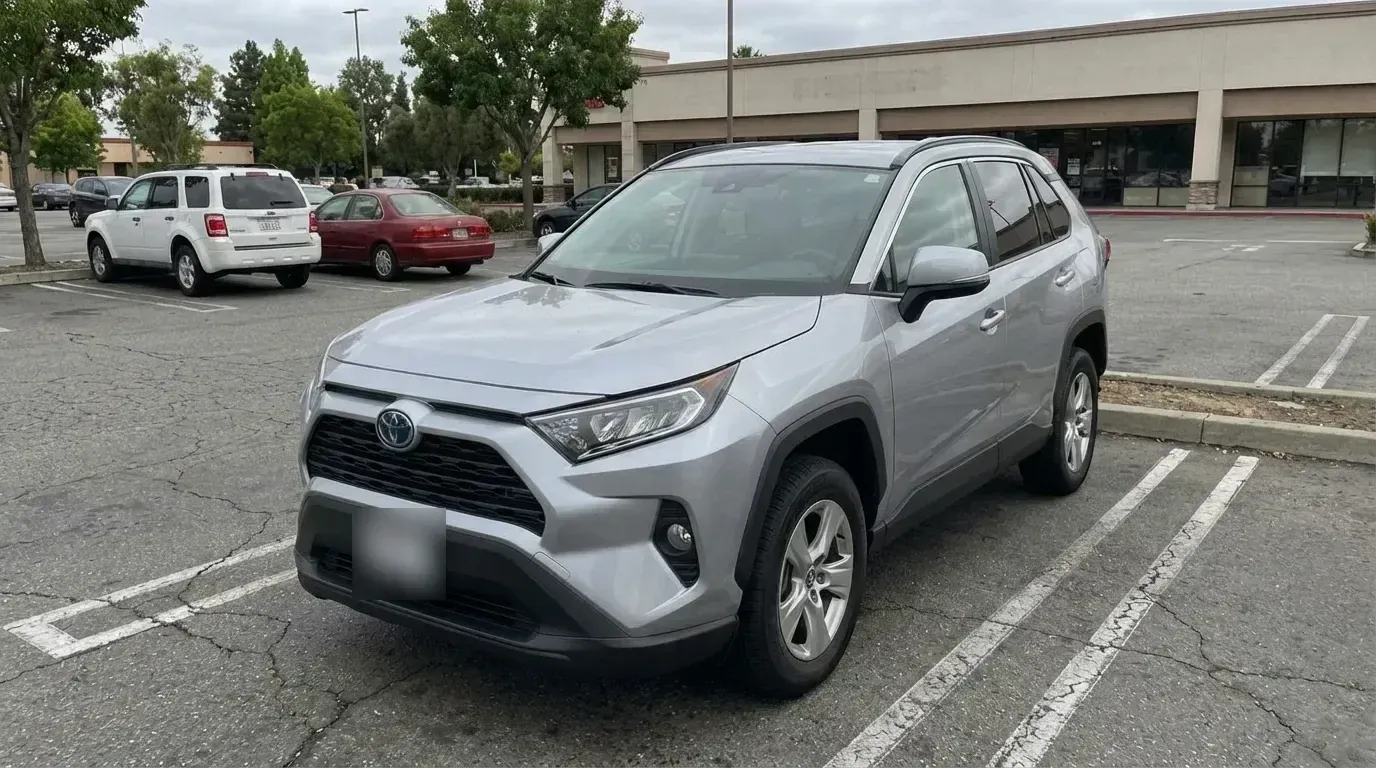
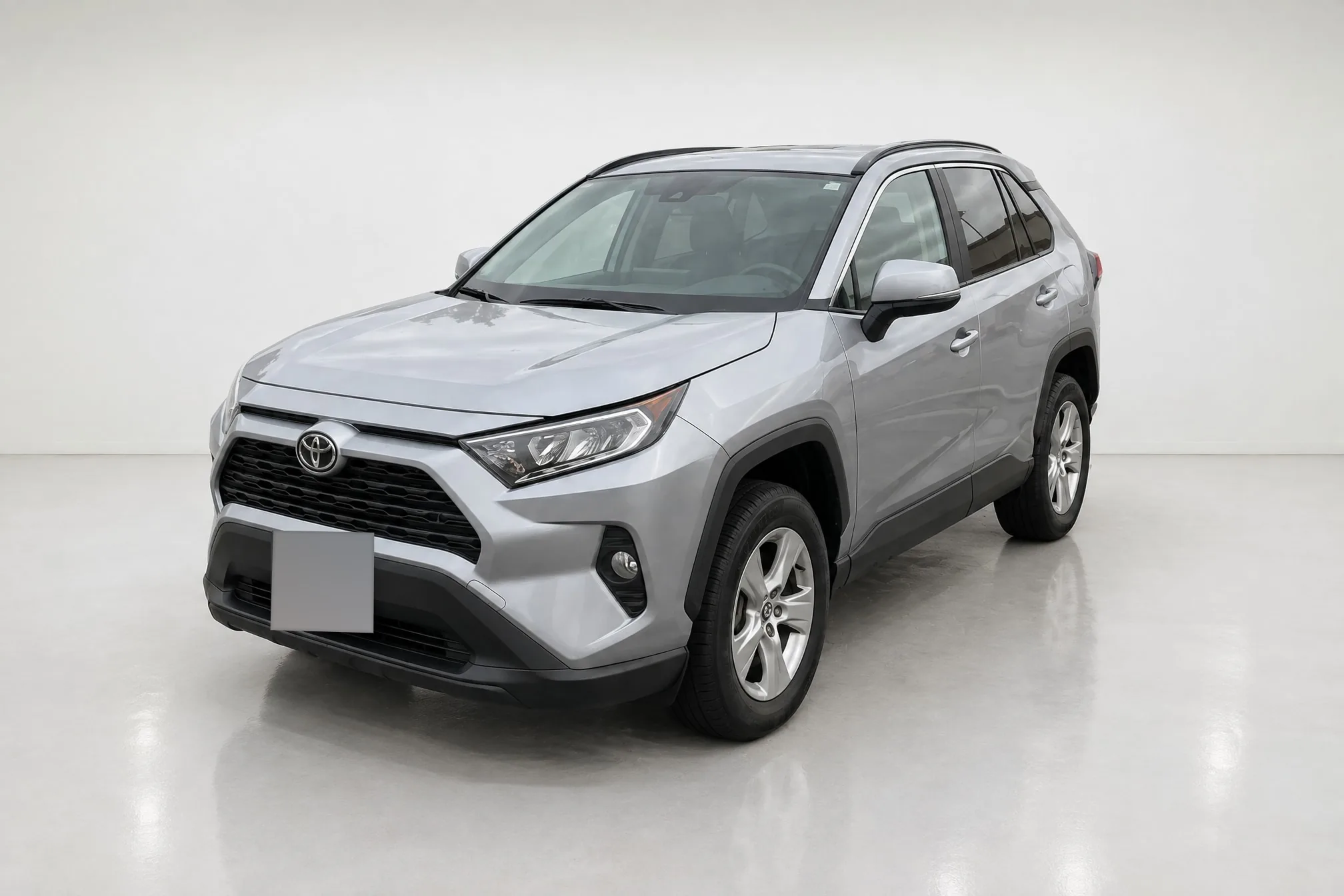
The plate is obscured in this published copy of the lot photo. The clean blank plate in the studio photo is Clearcoat's default Hide setting.
As you can see, the parking lot is gone from behind the car and from the windshield, the glossy floor reflects the car, and the shadow is darkest where each tire touches the floor. The wheels, grille, badge and trim are the car's own. Look closely at the rear side windows and the hood, though: a faint trace of the lot's building and trees is still there. Those reflections came with the lot photo, so they are part of the car as photographed. That is tell 4, and the fix is in how the photo is shot, below.
Because the car is drawn rather than copied, a small detail can come out differently. That is the risk behind a Bring a Trailer listing for a 1999 Cadillac DeVille, pulled within hours in January 2026. Readers had found that AI had changed the car itself in the listing photos, from its emblems to its wheels (Jalopnik). Every Clearcoat finished photo opens in the Studio beside the lot photo it came from, and switching between Showroom and Original is how you check the car before you list it (what Clearcoat keeps from your photo).
How to shoot lot photos for background replacement
Whatever tool you use, a lot photo that carries little of the lot is the one that looks real in a new room. Four habits matter most for a replaced background:
- Shoot in soft light. Overcast days and open shade give light with no strong direction, so it can't contradict the room. In sun, keep it behind you and your shadow off the car.
- Hold one camera height: the bottom of the windows. That is Autotrader UK's rule for replaced backgrounds, and it matches the ordinary, level view most showroom backdrops are made for.
- Move until the panels and glass reflect evenly. Before you press the shutter, look at the doors, hood and windows, not the car's outline. Shift a step or turn the car until no building, sign, row of cars or tree is mirrored in them. A polarizing filter cuts glare on glass and paint when the sun is to your side.
- Shoot every car the same way, and replace every exterior photo. Same angles, same height, same distance, so a row of listings in the same room looks like one set.
Our guide to photographing used cars on the lot covers framing, lenses and the full shot list.
How to check a replaced background before the listing goes live
Look at each finished photo at full size and check:
- The tires. Is the shadow darkest where each tire meets the floor?
- The glass. Is the room, not the lot, behind and in the windows, and is it the same in every photo of the car?
- The paint. Are the reflections in the doors and hood the room's, or a row of parked cars?
- The edges. Mirrors, antennas, roof rails and the gaps between wheel spokes.
- The car. Badges and model lettering, wheel design, trim, paint color and every mark you photographed. Compare with the original photo; if a detail changed, don't list that photo.
- The set. Same room, same size and position for the car in every exterior photo, and no yard photos mixed in. Check the listing site's own photo rules too: see car listing photo requirements by site.
The last two checks matter most. A slightly soft mirror edge costs you a little polish. A changed car costs you the buyer.
Do virtual backgrounds hurt trust or sales?
We found no published study that measures how car shoppers respond to replaced backgrounds, for or against. Claims on either side, including vendor statistics and forum opinions, rest on anecdote.
The nearest evidence is about edited images in general. In a 2026 UK consumer survey commissioned by Photoroom, which sells editing tools, 55% said poorly executed AI or heavily edited images lower their trust in a marketplace (Photoroom). The survey asked about online marketplaces in general, not cars. The Bring a Trailer listing above shows the sharper case: a car that isn't the one for sale.
Read together, these point the same way. Buyers want the real car, shown as it is. A believable room around that car is not what they warn against; a car that looks pasted on, or a car that isn't the one on the lot, is. For what listing rules and advertising law say about edited car photos, see Are AI-edited car photos allowed?